

Hey there! As a supplier of CATVx Cable, I've seen my fair share of cable problems. In this blog, I'm gonna share some tips on how to troubleshoot those pesky CATVx Cable issues.
1. Understanding the Basics
First off, let's get a handle on what CATVx Cable is all about. CATVx Cables are used for cable television, broadband internet, and other related services. They're designed to carry high - frequency signals over long distances. But like any piece of tech, they can run into problems.
There are different types of CATVx Cables we offer, such as the Hardline Seamless Trunk Cable 875, Hardline Seamless Trunk Cable 750, and Hardline Seamless Trunk Cable 565. Each type has its own specifications and is suitable for different applications.
2. Common Problems and Solutions
Signal Loss
One of the most common issues is signal loss. You might notice that your TV picture is pixelated, or your internet speed is slower than usual. There are a few reasons for this.
- Cable Damage: Check the cable for any visible signs of damage, like cuts, kinks, or frayed ends. If you find any, you'll need to replace the damaged section of the cable. Sometimes, rodents can chew on the cables, ely if they're installed in areas where rodents are present.
- Loose Connections: Make sure all the connections are tight. The connectors at both ends of the cable, as well as any splitters or amplifiers in the line, should be firmly attached. A loose connection can cause a significant drop in signal strength. You can use a cable tester to check if the connection is good.
Interference
Interference can also mess up your CATVx Cable signals. You might see snow on your TV screen or experience intermittent internet outages.
- Electrical Interference: Electrical devices like motors, fluorescent lights, and power lines can cause interference. Try to keep your CATVx Cables away from these sources. If possible, use shielded cables, which are better at blocking out electrical interference.
- Radio Frequency (RF) Interference: Other RF sources, such as nearby radio transmitters or microwave ovens, can also cause problems. You can use RF filters to reduce this type of interference.
Noise on the Line
If you hear a lot of static or noise on your cable - based phone line or see visual artifacts on your TV, it could be due to noise on the line.
- Poor Grounding: A proper ground connection is crucial for reducing noise. Make sure your CATVx Cable system is grounded correctly. Check the grounding wire and the grounding rod to ensure they're in good condition.
- External Noise Sources: Sometimes, external factors like weather conditions or nearby electrical storms can introduce noise. In such cases, you might have to wait for the conditions to improve. You can also use noise - reducing amplifiers to clean up the signal.
3. Using the Right Tools
To troubleshoot CATVx Cable problems effectively, you'll need the right tools.
- Cable Tester: This is a must - have tool. It can tell you if the cable is working properly, if there are any breaks in the line, and if the signal strength is within the acceptable range.
- Signal Strength Meter: A signal strength meter helps you measure the strength of the signal at different points in the cable system. This can help you identify where the signal is weakening and take appropriate action.
- Spectrum Analyzer: For more advanced troubleshooting, a spectrum analyzer can be very useful. It allows you to see the frequency spectrum of the signal and identify any interference or abnormal signals.
4. Step - by - Step Troubleshooting Process
Here's a step - by - step process to troubleshoot CATVx Cable problems:
- Identify the Problem: First, figure out what the issue is. Is it a signal loss, interference, or noise? Talk to the end - user to get a clear understanding of the symptoms.
- Check the Equipment: Inspect all the equipment connected to the cable, including TVs, modems, and routers. Make sure they're working properly. Sometimes, the problem might not be with the cable at all.
- Inspect the Cable: Look for any visible damage or loose connections. Check the entire length of the cable, including any areas where it might be exposed to the elements or physical damage.
- Test the Signal: Use a cable tester and a signal strength meter to check the signal. Start at the source (like the cable provider's box) and work your way down the line to the end - user's equipment.
- Isolate the Problem: If you find a weak signal or interference at a particular point, try to isolate the cause. It could be a faulty cable, a bad connector, or an external factor.
- Make Repairs or Replacements: Once you've identified the problem, make the necessary repairs or replacements. Replace damaged cables, tighten loose connections, or install new equipment as needed.
- Test Again: After making the repairs, test the system again to make sure the problem has been resolved.
5. Preventive Maintenance
Preventing problems is always better than fixing them. Here are some preventive maintenance tips:
- Regular Inspections: Conduct regular inspections of your CATVx Cable system. Check for any signs of wear and tear, loose connections, or potential sources of interference.
- Proper Installation: Make sure your cables are installed correctly from the start. Follow the manufacturer's guidelines for cable routing, connector installation, and grounding.
- Use Quality Equipment: Invest in high - quality cables, connectors, and other equipment. Cheaper options might save you money upfront, but they're more likely to cause problems in the long run.
6. Contacting Us for More Help
If you're still having trouble troubleshooting your CATVx Cable problems or if you need to purchase new cables or equipment, don't hesitate to reach out to us. We're here to help you find the best solutions for your CATVx Cable needs. Whether you need more information about our Hardline Seamless Trunk Cable 875, Hardline Seamless Trunk Cable 750, or Hardline Seamless Trunk Cable 565, we can provide you with all the details.

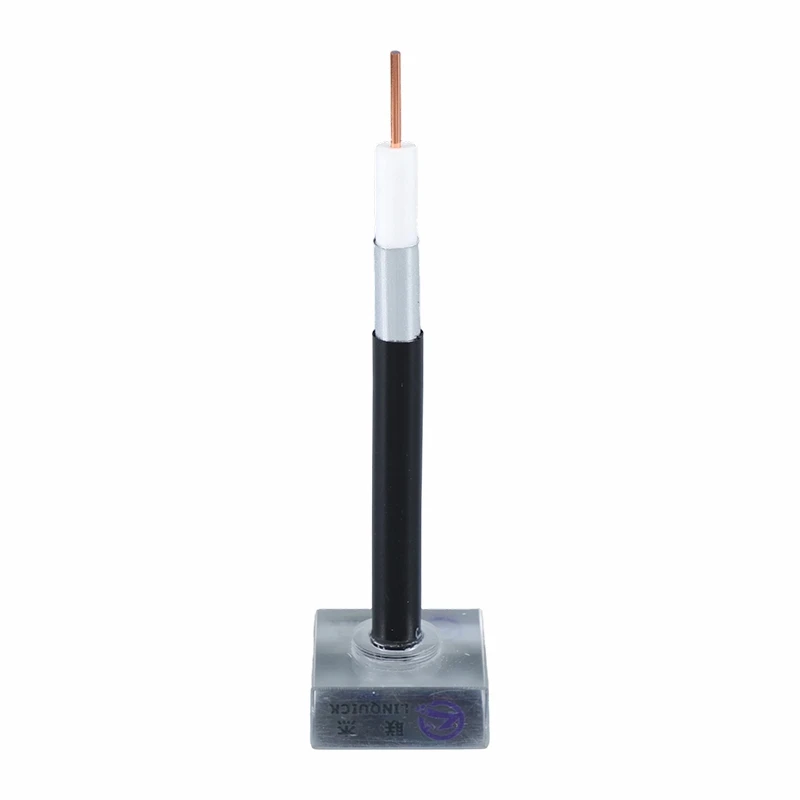
We have a team of experts who can assist you with any technical questions or installation advice. We also offer competitive pricing and fast shipping on all our products. So, if you're in the market for CATVx Cables or need help with troubleshooting, give us a shout.
References
- "Cable Television Systems Handbook" by Charles J. Tombini
- "RF and Microwave Circuit Design for Wireless Applications" by Chris Bowick
That's it for this blog. I hope these tips help you troubleshoot your CATVx Cable problems like a pro! If you have any questions or experiences to share, feel free to leave a comment below.